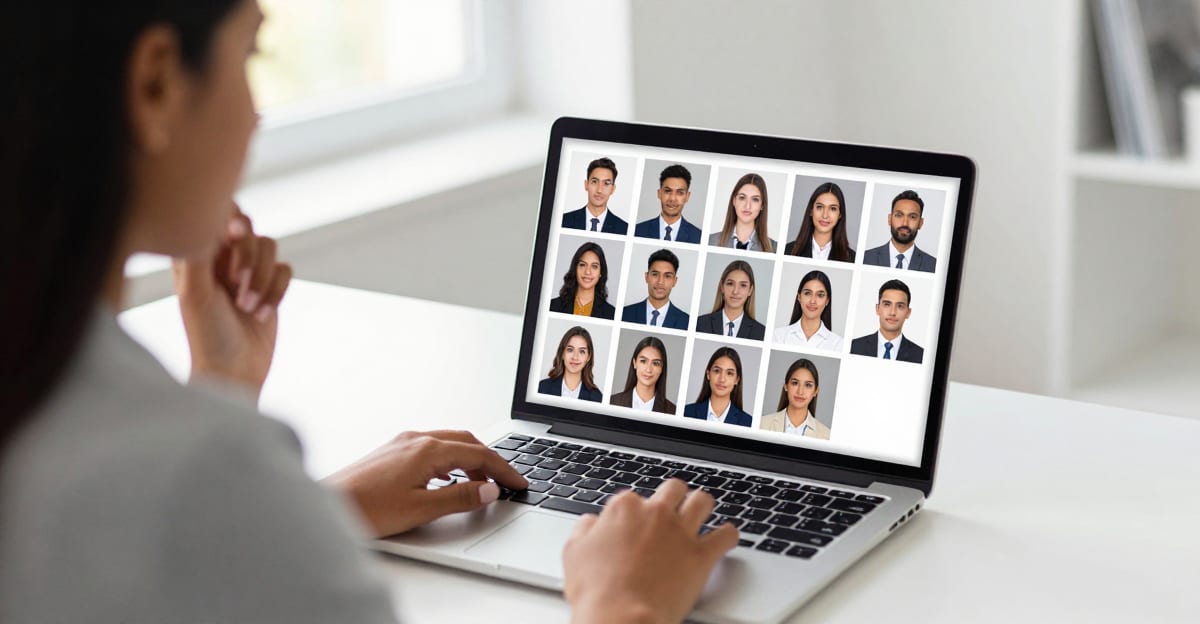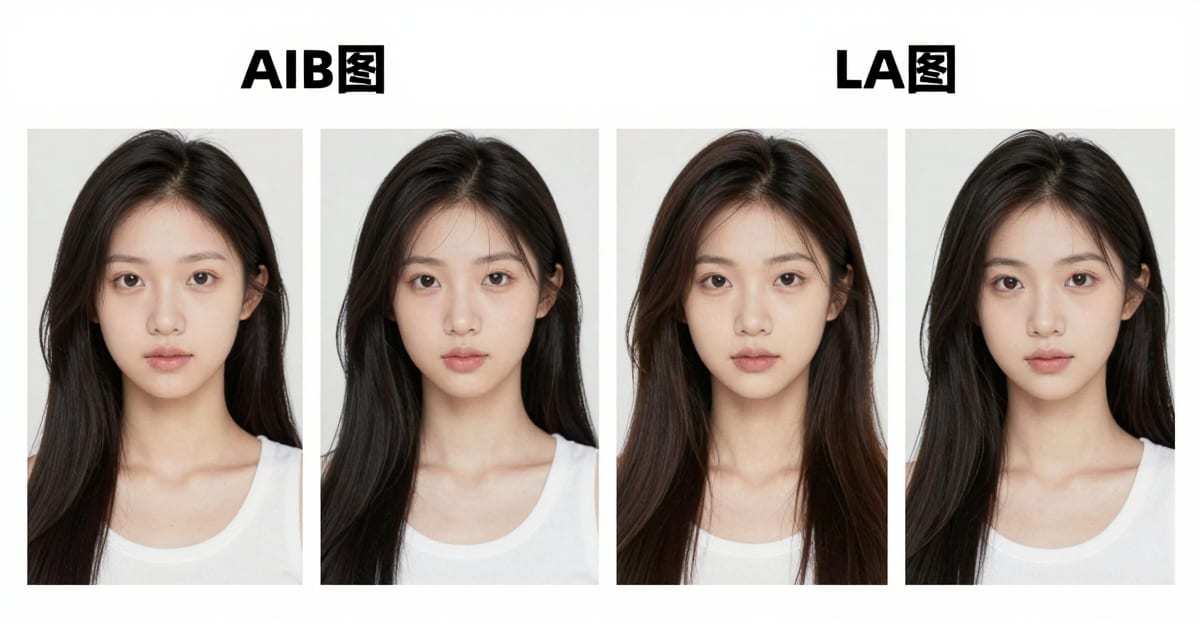
The best AI pose editor online in 2026 is the one that changes stance or camera angle without inventing a new face. That is identity-preserved editing — the difference between a usable LinkedIn update and a stranger who looks almost like you.
If the face is already perfect and only the shoulders, angle, or energy are wrong, you do not need another studio day. You need a tool that treats likeness as non-negotiable. On Imagera that product is Identity Editor.
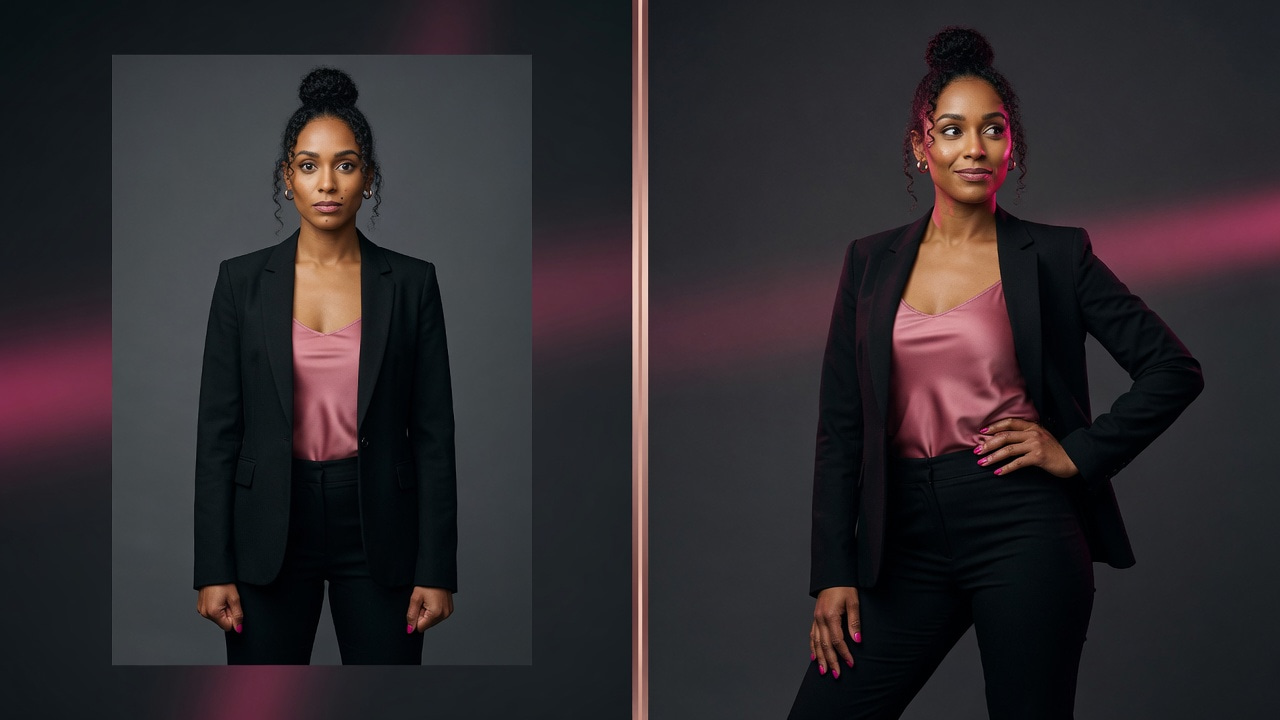
Quick answer: The best AI pose editor online in 2026 is Imagera Identity Editor, which changes body stance or camera angle in the browser while keeping the same recognizable face, so one clear photo becomes 3 or more usable poses without a reshoot.
How does an AI pose editor keep the same face while changing pose?
Imagera Identity Editor locks likeness as the fixed anchor, then repositions only the body and camera angle. You upload 1 clear photo, describe the pose in plain English, and pick Normal or Ultra Fast, with Ultra Fast returning most edits in under 60 seconds. Keep eyes above roughly 400 pixels wide and review the jaw across all 3 outputs before delivery in 2026.
Which photos give the best AI pose editing results?
Use 1 sharp subject with clean light and enough body in frame for stance changes, not a tiny 100-pixel thumbnail or a group shot. Extreme angles from small crops tend to drift, so preview before publishing. Well-lit, frontal source photos generally produce cleaner identity-preserved edits than dim or heavily filtered files.
Why change pose instead of reshooting
Reshoots cost more than money. They cost calendar coordination, talent availability, location access, wardrobe continuity, and the risk that the second session still misses the brief. For founders, agencies, ecommerce brands, and creators shipping weekly content, the expensive failure mode is simple: the face is right, the pose is wrong.
That failure shows up everywhere:
- A LinkedIn photo feels closed-off or stiff in a small circular crop
- An ad needs a three-quarter body angle and you only shot frontal
- A lookbook needs over-the-shoulder energy without a second booking
- A product hero needs the model turned slightly toward the pack
A pose editor exists to recover those angles from the photo you already have — if and only if identity holds.
What an AI pose editor actually does
An AI pose editor takes an existing photo and a text instruction, then synthesizes a new still where body orientation, stance, or camera relationship changes while facial identity is preserved as much as the model and input allow.
It is not:
- A beauty filter that “improves” features
- A face-swap tool that pastes a different identity onto a body
- A full 3D character rig with perfect joint physics every time
- A free unlimited playground with commercial rights guaranteed
It is:
- A practical way to change pose language without a reshoot
- A browser workflow with credits shown before generate
- A review-first process for professionals who publish under their brand
How to choose the best pose editor
Score any tool against the job you actually have:
| Criterion | Why it matters |
|---|---|
| Identity lock | Face drift kills LinkedIn, ads, and catalog consistency |
| Pose control | Named geometry beats vague “look better” prompts |
| Input honesty | Good tools and good docs admit tight crops and extremes fail |
| Speed options | Deadline work needs a priority route without a second product |
| Commercial rights | Paid plans must allow business use |
| Pricing honesty | Pay-when-you-generate beats “free unlimited” bait |
If a tool optimizes only for attractiveness, it will lose commercial jobs even when demos look flashy.
Imagera Identity Editor: the product for this job
Imagera Identity Editor is Imagera’s flagship people editor inside the Image Editor hub. It is designed so pose and position can move while the subject stays the same recognizable person.
| Need | Open |
|---|---|
| Same face, new pose | Identity Editor |
| Step-by-step tutorial | How to change pose without changing face |
| Background cleanup only | Fast Edit |
| Complex multi-image brief | Smart Edit |
| Pricing | Pricing |
Studio deep link (Identity pre-selected):
Magic Pose Changer
Live product samples:
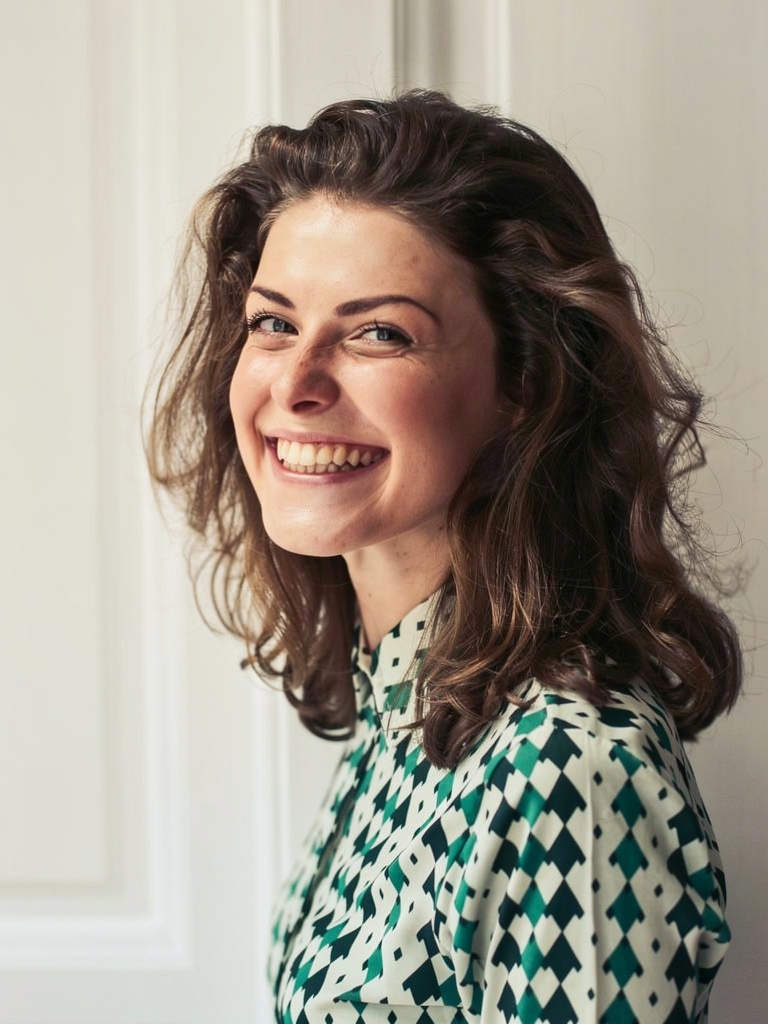 | 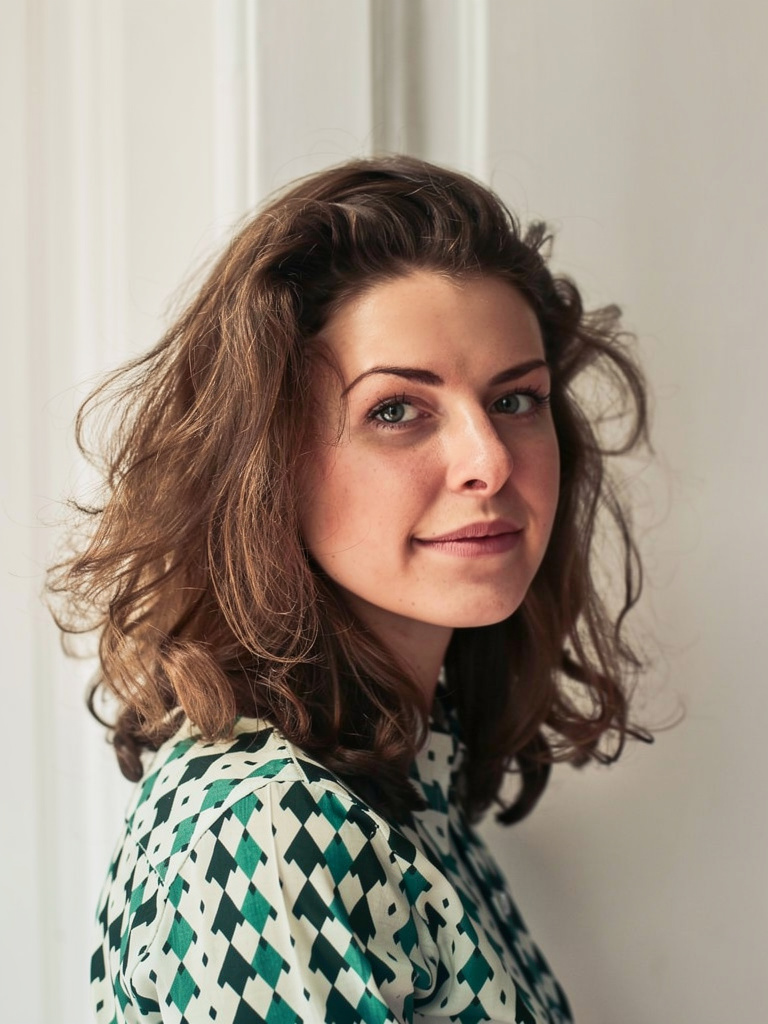 |
How to use Identity Editor (full workflow)
Step 1 — Open the right engine
Do not start on a generic beauty tool. Open Identity Editor from the landing page or the studio deep link so the correct engine is selected.
Step 2 — Upload a master photo that can succeed
Best inputs:
- One primary subject
- Sharp eyes and readable jawline
- Enough body in frame for stance changes
- Soft, even light (not full silhouette)
Weak inputs:
- Tiny social thumbnails re-saved many times
- Group photos where three faces compete
- Heavy beauty filters already melting structure
- Extreme motion blur on the face
Step 3 — Write a three-part prompt
- Pose change — what moves
- Identity lock — “same face,” “same person,” “keep identity”
- Light or background — optional constraints
Strong prompts
- “Turn slightly toward camera, relaxed shoulders, same face, soft office light.”
- “Three-quarter body angle, confident stance, keep identity, clean gray background.”
- “Look over left shoulder, same person, natural daylight, keep original clothing.”
- “More open posture, chin level, same face and hair, subtle smile, keep background.”
Weak prompts
- “Make them more attractive and confident.”
- “Cinematic glam transformation.”
- “Improve the photo.”
- “Transform into a model.”
Beauty language invites a new face. Geometry plus an identity lock keeps the client.
Step 4 — Pick Normal or Ultra Fast
| Mode | When |
|---|---|
| Normal | Standard client and brand finals |
| Ultra Fast | Same-day decks and tight deadlines |
Same credit wallet. Confirm the number shown in the studio before you generate.
Step 5 — Review like a client
Likeness (must pass)
- Eyes still “them”
- Jaw and cheek structure intact
- Hairline and hair color stable
- Skin tone not wildly shifted
Pose (must match brief)
- Shoulders and torso angle
- Gaze direction
- Hands plausible if visible
Finish
- Clothing seams and logos
- Background coherence
- Two-second teammate “who is that?” test
Step 6 — Export and hand off
Download the winner. For print or large crops, upscale only approved stills. For background cleanup, switch to Fast Edit instead of rewriting a pose prompt that already worked.
Identity Editor vs Fast Edit vs Smart Edit
| Situation | Engine | Why |
|---|---|---|
| Person must stay recognizable | Identity Editor | Flagship for likeness-critical pose and position |
| Deadline: background, clutter, color | Fast Edit | Speed for non-identity cleanup |
| Multi-image campaign instructions | Smart Edit | Complex briefs when “close enough” loses the client |
Practical production split: lock pose on Identity first; clean backdrop on Fast Edit; use Smart Edit when the brief is multi-reference.
Identity preserved — honest limits
Means: likeness stays locked while pose and framing move — the product design goal for people shots.
Does not mean: magic from a postage-stamp crop, a 180° impossible pose from a tight headshot, or a free pass to skip review. Extreme edits and bad inputs still create drift risk. That honesty is professional workflow, not a weak product.
Real-world playbooks
LinkedIn founder refresh
Use the sharpest existing headshot. Request a small pose delta — slight turn, open shoulders, same face, soft office light. Review eyes and jaw. Export square. Clean background in Fast Edit only after likeness is locked.
Creator carousel batch
From one shoot day, generate two or three identity-locked variants. Keep “keep original outfit” in the prompt. Publish only variants that pass a two-second teammate test.
Catalog model consistency
Start from an approved hero still. Generate three-quarter and over-shoulder variants. Reject face drift immediately. Upscale winners only.
Agency client options
Offer two pose options from one approved still before recommending a reshoot. Document which prompt won so the next SKU batch is faster.
Prompt bank (copy and adapt)
Professional / LinkedIn
“Slight turn toward camera, open shoulders, chin level, same face, soft office light, keep background professional.”
Creator / social
“Three-quarter body angle, relaxed confident stance, same person, natural daylight, keep original outfit.”
Editorial over-shoulder
“Look over left shoulder toward camera, same face and hair, soft outdoor light, keep original clothing.”
Catalog
“Product-hero three-quarter pose, arms relaxed, same face, clean gray background, even studio light.”
Energy fix
“More open posture, shoulders down, subtle natural smile, same face, match existing light, keep background.”
Common mistakes and fixes
| Mistake | Why it fails | Fix |
|---|---|---|
| Vague “make better” prompts | Tools invent a prettier stranger | Name pose + same face |
| Using face-swap tools | Wrong product class | Keep face; change pose |
| Group photo input | Multiple faces compete | Crop to one person |
| Extreme pose from headshot crop | Body must be invented | Smaller delta or fuller body |
| Skipping review | Face drift ships to clients | Checklist every time |
| Cleaning background on Identity with messy prompt | Re-opens face risk | Lock pose, then Fast Edit |
Pricing and commercial use
- Credit packs from 350 credits
- Plans from $19.99/mo
- Cost shown in studio before generate
- Commercial rights on paid plans
- Free on-device utilities only under Browser tools
See Pricing. Trust the live meter over any screenshot.
Deep guide: identity, lighting, and clothing
Identity is more than eyes. When reviewers say “that is not them,” they usually mean a combination of:
- Eye spacing and lid shape
- Jaw corner and chin length
- Nose bridge width
- Hairline and hair mass
- Skin tone under the new light
If your prompt asks for “golden hour beauty light” on a photo shot under office fluorescents, the model may “help” by rewriting the face to match the new light story. Prefer: “match existing light” or a light description close to the original.
Clothing is another silent failure mode. If the pose change requires inventing a side of a jacket that was never photographed, seams and logos can break. Keep “keep original clothing” in the prompt when wardrobe must stay exact. If wardrobe is disposable, say so explicitly so the model does not waste capacity preserving a pattern you do not care about.
Hands fail more often than faces. If hands are secondary, crop tighter or keep arms closer to the body. If hands are brand-critical (jewelry, product hold), plan a smaller pose delta and extra generations.
Comparing pose editing to related workflows
| Workflow | Job | When to use |
|---|---|---|
| Identity Editor | Same person, new pose/angle | Face must stay |
| AI Headshot | Selfies → pro portraits | Need professional look from casual sources |
| Personal Influencer / LoRA | Same character across many scenes | Ongoing content system |
| Face / head swap | Put face A on body B | Different identity intentionally |
| Fast Edit | Background and cleanup | Face already correct |
Teams often confuse these. A founder who needs a better LinkedIn stance should not train a LoRA. A virtual influencer shipping daily scenes should not rely only on one-off pose edits.
Advanced prompt patterns
Small delta (safest)
“Turn 15 degrees toward camera, shoulders slightly open, same face, keep original light and background.”
Medium delta
“Three-quarter stance, weight on back foot, same person, soft key light from camera left, keep outfit.”
Framing change
“Slightly lower camera angle, chin level, same face, keep clothing, clean studio background.”
Energy-only
“Same angle and clothing, more open posture, relaxed jaw, same face, match existing light.”
Stack only one major change at a time when credits matter. Multi-variable prompts (pose + wardrobe + location + beauty) are how identities die.
Team process that prevents disasters
- Designate a likeness reviewer who is not the prompt author.
- Keep a shared prompt library with wins and fails.
- Cap exploration credits weekly.
- Store source masters, not only outputs.
- Never publish without a phone-size preview — LinkedIn and ads are small.
Legal and brand notes
You need rights to the photo and the likeness. Synthetic edits can still require disclosure depending on platform and jurisdiction. Agencies should document model releases. Brands should keep a paper trail of which assets were AI-edited for regulated industries.
Related reading on Imagera
Case study style walkthroughs (composite scenarios)
Scenario A — Agency deck tomorrow morning
A brand manager rejects a campaign still because the model’s shoulders look defensive. Reshoot is impossible before the board meeting. The team uploads the approved hero to Identity Editor, requests a modest open posture with the same face and original wardrobe, runs two Normal generations, picks the safer one after a three-person likeness vote, cleans a slight backdrop smudge in Fast Edit, and exports. Total time: under an hour. Risk managed by small pose delta and human review.
Scenario B — Creator batching for a week of posts
A creator has one good outdoor portrait and needs variety without looking like five different people. They generate three identity-locked angles: slight turn, over-shoulder, and open stance. They discard the over-shoulder because the jaw softened. They keep the other two, caption differently, and schedule across the week. The discarded output still taught them that extreme shoulder rotation from a frontal crop is unstable.
Scenario C — Ecommerce model consistency
A catalog team needs a second angle of a model already approved for brand. They never accept beauty language in prompts. They store winning prompts next to the SKU ID. They reject any output that fails logo readability on clothing. Identity Editor is used only for pose; background studio tools handle set changes separately so variables stay controlled.
Building an internal prompt library
Create a shared doc with columns:
| Field | Example |
|---|---|
| Use case | LinkedIn open stance |
| Source type | Headshot / three-quarter / full body |
| Prompt | … |
| Speed | Normal / Ultra Fast |
| Result | Pass / Fail |
| Failure note | Jaw drift / hands / light shift |
After twenty entries, patterns emerge. Teams stop relearning the same failure modes.
Quality tiers: good enough vs client-final
Not every generation must be campaign-final.
- Exploration: Ultra Fast, small credit batch, harsh rejection
- Client optioning: Normal, two reviewers
- Final: Normal, checklist complete, optional upscale
Mixing tiers without labels is how bad files leak into ads.
Lighting continuity cheat sheet
| Original light | Safer prompt language |
|---|---|
| Office overhead | soft office light, match existing light |
| Outdoor open shade | natural daylight, soft shade |
| Hard sun | keep original sunlight direction |
| Studio softbox | soft studio key light |
If you change light too aggressively, faces drift toward the new lighting “default beauty.”
Clothing and logo integrity
Brand apparel and printed logos are high-stakes. If a logo must remain exact, say so. If a pose hides a logo, prefer a different pose rather than inventing letters (invented letters look like gibberish and destroy trust).
Hands, arms, and product holds
If the person holds a product:
- Ensure the product is clear in the source
- Use smaller body deltas
- Reject melted fingers immediately
- Consider product-only reels if hands keep failing
Not every pose idea is achievable from every photo.
Shipping checklist (print this)
- Likeness pass (eyes/jaw/hair)
- Pose matches brief
- Hands acceptable
- Clothing/logo acceptable
- Background decision (keep vs Fast Edit)
- Phone-size preview
- Rights/disclosure considered
- Credits logged for the project
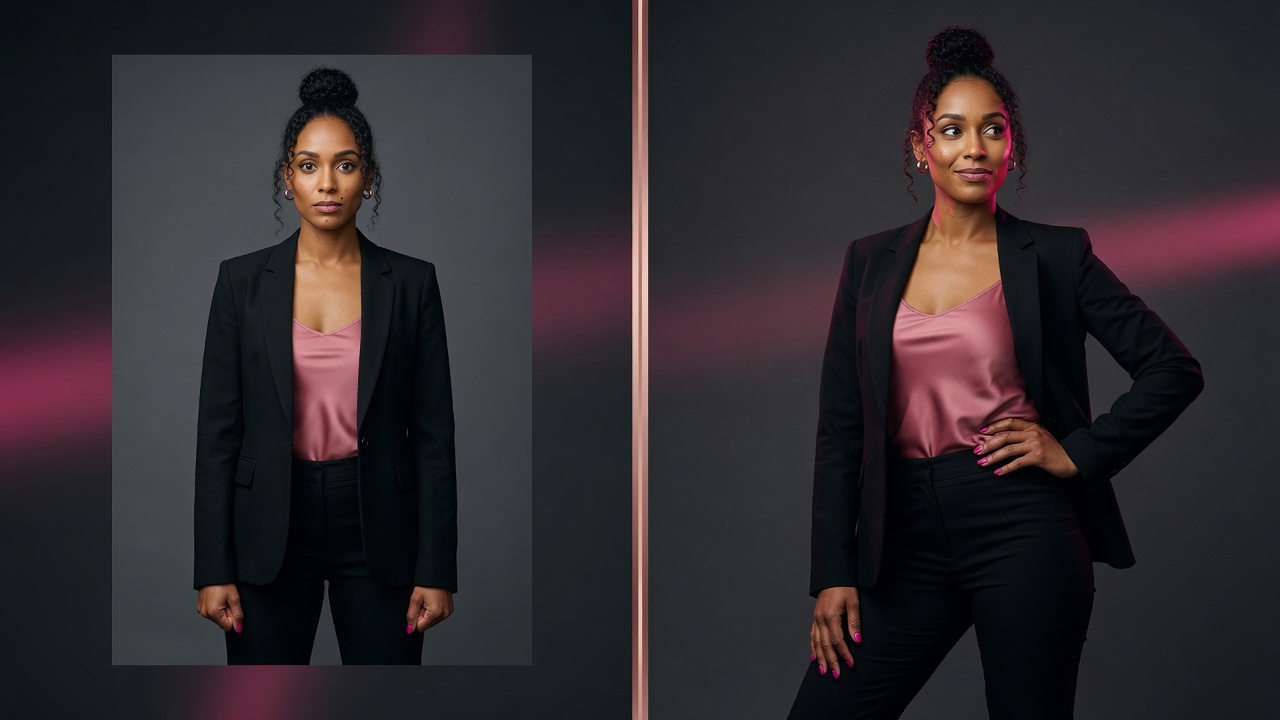
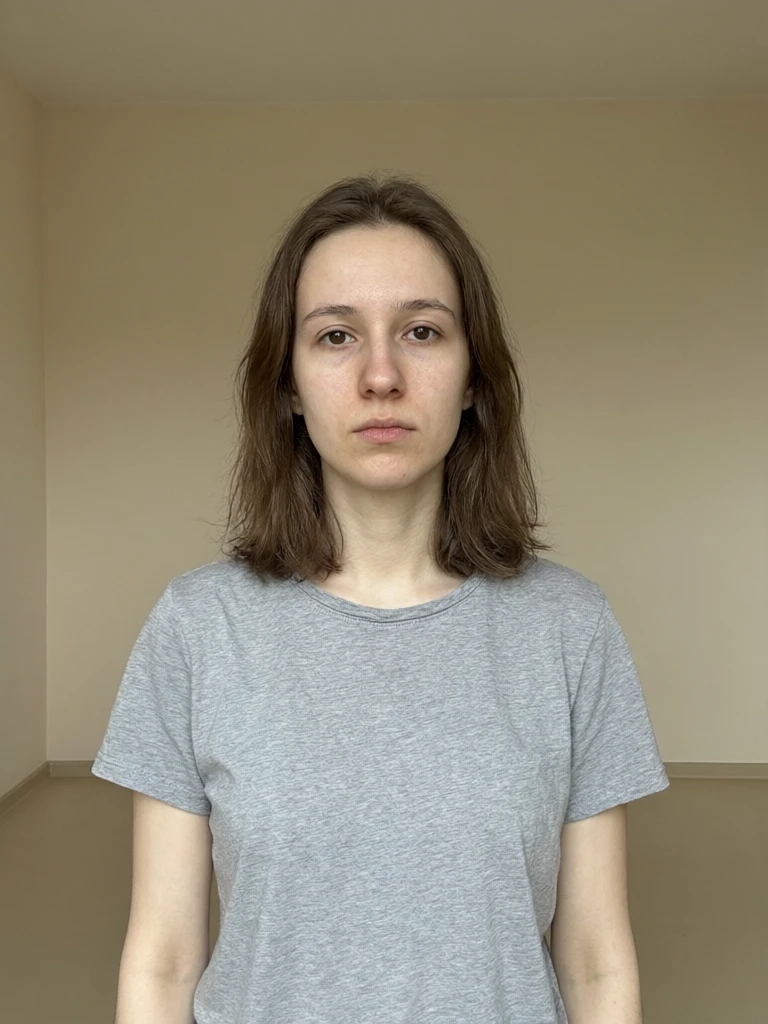
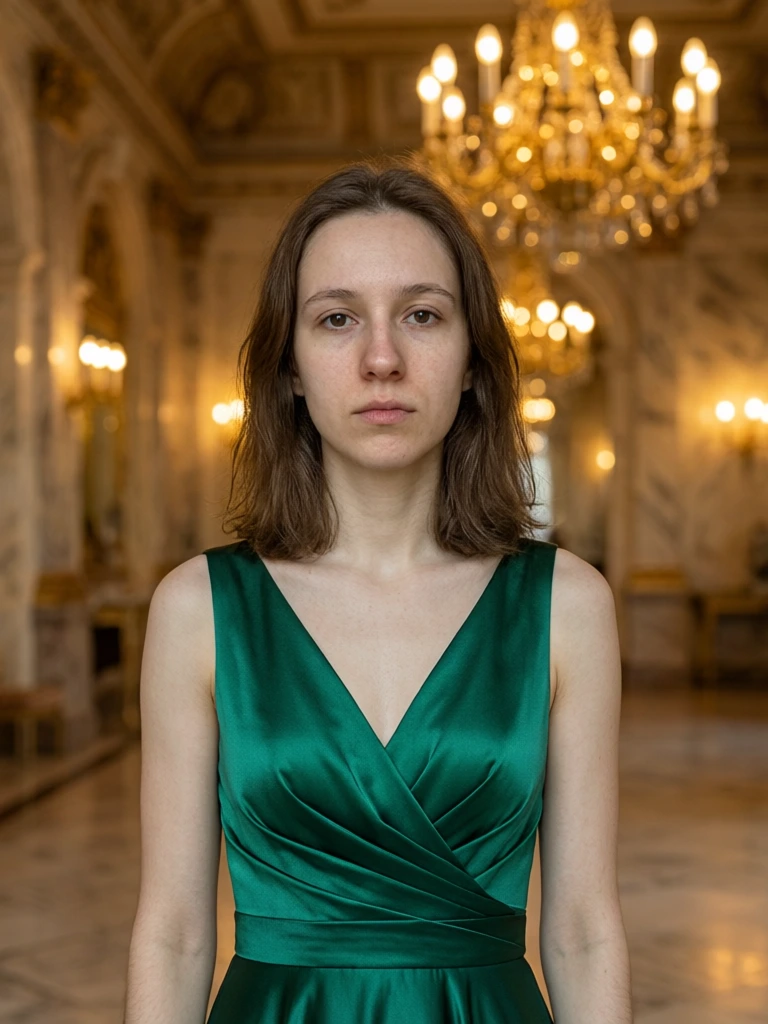
See it in action — real Imagera output
These are real, unedited results from the Imagera edit image — the exact tool this guide covers.
Conclusion
You do not need another beauty filter. You need publishable angles of the same person. Open Identity Editor, run one identity-locked test on a real work photo, and ship the angle you actually needed.
Next steps: Identity Editor · Image Editor hub · Pose tutorial · Pricing