You can complete this on Imagera without installing software: upload a real source file, describe the change, confirm credits up front, generate, and review before you publish. Remove.bg vs Imagera: AI Background Tool Comparison — this guide covers the steps, quality checks, and when to open related tools.
Background editing tools have evolved significantly over the past few years. Remove.bg popularized the concept of one-click background removal, making it easy for anyone to extract subjects from photos and create transparent PNGs. But removing a background is only half the equation — you still need to add a new one if you want a complete image.
This is where the fundamental difference between Remove.bg and Imagera's AI Background Studio becomes clear. Remove.bg is a background removal tool that produces transparent cutouts. Imagera's AI Background Studio is a background replacement tool that removes the old background and generates a new AI-created photorealistic scene in a single step. These tools serve different purposes, and understanding which one fits your workflow depends on what you're trying to accomplish.
In this comparison, we'll examine both tools objectively, highlighting where each excels, pricing structures, use cases, and how to choose the right tool for your specific needs.

Quick answer: Imagera offers free on-device background removal and separate cloud workflows for generating new scenes or refining an image. Start with the cutout, inspect its edges, and review the credit quote if you choose a paid generative edit.
How is Imagera different from Remove.bg for background removal in 2026?
A transparent cutout is often the first step in preparing a product image. After checking hair, fur, glass, and fine edges, you can use a compatible Imagera editing workflow to request a new backdrop or adjust the scene. Output size and batch support vary by tool, and paid generations show their credit cost before submission.
Which tool is better for e-commerce product photos at scale?
For a catalog, test one representative product before processing more images. Keep the product's shape, colors, label, and proportions consistent while comparing a plain background with a relevant lifestyle scene. Review each generated result and its credit cost; a polished background is only useful if it still represents the actual item accurately.
Quick Comparison
Here's a side-by-side comparison of the core features and differences between Remove.bg and Imagera's AI Background Studio:
| Feature | Remove.bg | Imagera AI Background Studio |
|---|---|---|
| Primary function | Background removal (→ transparent PNG) | Background replacement (→ new AI scene) |
| Output | Transparent PNG cutout | Photorealistic scene composite |
| AI generation | No — manual background addition required | Yes — describe any scene in text |
| Edge detection | Excellent (industry-leading for fine details) | Good — AI-matched lighting and perspective |
| API available | Yes (for automation) | Yes (via Imagera API) |
| Batch processing | Yes (with subscription plans) | Yes (upload multiple images) |
| Desktop app | Yes (Windows/Mac/Linux) | No — browser-based only |
| Pricing model | Per-image credits or subscription | Credit-based plans from $19.99/mo |
| Per-image cost | $1.99-$5.99 (pay-as-you-go), $0.23+ (subscription) | 15 credits per edit |
| Free preview | Yes (low-resolution only) | No — full resolution with starter credits |
| Integration ecosystem | Canva, Photoshop plugin, Shopify | Part of Imagera's AI platform (Image Generator, Upscaler, etc.) |
The table makes it clear: these aren't competing tools — they're complementary solutions for different workflows. Remove.bg specializes in extraction. Imagera specializes in replacement.
Where Remove.bg Excels
Remove.bg has built a reputation as the go-to tool for background removal, and for good reason. It does one thing exceptionally well: isolating subjects from their backgrounds and producing clean transparent PNGs.
Industry-leading edge detection. Remove.bg's AI model excels at handling fine details like hair, fur, and complex edges. If you've ever tried to manually mask out a subject with flowing hair or a fluffy pet, you know how difficult this can be. Remove.bg's algorithm handles these challenging cases with remarkable precision, preserving subtle details that make the cutout look natural when placed on a new background.
Robust API and integration ecosystem. For businesses that need to process hundreds or thousands of images, Remove.bg offers a powerful API that integrates into automated workflows. The tool also has official plugins for Photoshop, integrations with Canva and Shopify, and third-party support across design platforms. This ecosystem makes it easy to incorporate background removal into existing production pipelines.
Desktop application for offline use. Remove.bg offers native desktop apps for Windows, Mac, and Linux, allowing users to process images without an internet connection. This is particularly valuable for photographers and designers who work in environments with limited connectivity or who prefer not to upload sensitive images to cloud services.
Simple, focused user experience. The interface is straightforward: upload an image, get a transparent cutout. There are no complex settings or creative decisions to make. This simplicity is a strength when all you need is extraction without additional editing.
Established track record and reliability. Remove.bg has processed millions of images and refined its algorithm over years of production use. The consistency and reliability of results make it a safe choice for businesses that need predictable outputs.
If your workflow ends with a transparent PNG — whether you're creating design assets, preparing images for print-on-demand, or building a library of isolated objects — Remove.bg is purpose-built for exactly this task.
Where Imagera Excels
Imagera's AI Background Studio takes a fundamentally different approach. Instead of just removing the background, it removes the old background and generates a completely new AI-created scene in one operation.
AI-generated backgrounds from text descriptions. The core differentiator is generative AI. You can describe any environment — "modern minimalist studio with soft shadows," "autumn forest at sunset," "professional office setting with blurred depth of field" — and the AI creates a photorealistic background that matches your subject. This eliminates the need to source stock photos, shoot multiple backgrounds, or manually composite images.
Automatic lighting and perspective matching. When Imagera generates a new background, the AI analyzes the subject's lighting, shadows, and perspective, then creates a scene that matches these characteristics. The result is a composite that looks like it was captured in a single shot, not a subject awkwardly pasted onto a mismatched background.
One-step workflow for complete images. With Remove.bg, you get a transparent cutout and then need to add a background using another tool. With Imagera, you upload an image, describe the background you want, and receive a finished composite. This streamlined workflow is particularly valuable when you need ready-to-publish images rather than intermediate assets.
Priced per finished image. Imagera charges credits per edit (more on this below), and each edit returns a finished image with a new background rather than a transparent cutout.
Integrated AI platform. Imagera's Background Studio is part of a broader set of AI tools, including the AI Image Generator for creating images from scratch, the AI Image Upscaler for resolution enhancement, and AI Product Photography for e-commerce applications. This integration means you can handle multiple aspects of image creation and editing within a single platform.
Browser-based accessibility. Imagera runs entirely in your browser with no software installation required. This makes it accessible from any device with a web connection and eliminates compatibility concerns across operating systems.
The key advantage is the end result: Remove.bg gives you a transparent cutout that still requires additional work. Imagera gives you a complete, ready-to-use image with a new photorealistic background.

Pricing Breakdown
Pricing structures for these tools reflect their different purposes and value propositions. Direct comparison is challenging because the outputs aren't equivalent — one delivers a transparent PNG, the other delivers a complete composite image.
Remove.bg pricing:
- Pay-as-you-go: 1 credit per image. Individual image prices range from $1.99 to $5.99 depending on quality tier and resolution. Low-resolution preview images are available for no charge.
- Subscription plans: Starting at $9/month for 40 images ($0.225 per image), scaling up to enterprise plans with volume discounts. Subscription credits roll over for 12 months if unused.
- API access: Available with subscription plans, with pricing based on volume and resolution requirements.
- Free tier: Low-resolution preview images (approximately 0.25 megapixels) can be downloaded without payment.
The pay-as-you-go model works well for occasional users, while subscriptions offer better per-image economics for regular use.
Imagera pricing:
- Credit-based system: Each background edit consumes 15 credits. Plan pricing starts at $19.99/month for starter credits.
- Per-image cost: 15 credits per edit. All outputs are full resolution.
- No low-resolution previews: Every image you generate uses credits but is delivered at full quality, not preview resolution.
- Plan flexibility: Credits can be used across all Imagera tools (Background Studio, Image Generator, Upscaler, etc.), providing flexibility if you use multiple features.
- API access: Available through Imagera's API with credit consumption based on operations performed.
The pricing comparison becomes more meaningful when you consider what you're receiving. Remove.bg's lower subscription costs reflect that you're receiving intermediate assets (transparent PNGs) that still require additional work. Imagera's pricing includes both background removal and new background generation, delivering a finished product.
For workflows that only need transparent cutouts, Remove.bg offers better economics. For workflows that need complete images with new backgrounds, Imagera eliminates the need for separate background sourcing and compositing, potentially offering better overall efficiency despite the per-image price structure.

Use Case Comparison
Choosing between Remove.bg and Imagera's AI Background Studio depends primarily on your workflow requirements and the final output you need. Here's how different user types should approach the decision:
Graphic designers creating marketing materials: If you're building layouts in design software and need isolated elements to place over custom backgrounds, Remove.bg is the better choice. The transparent PNGs integrate seamlessly into Photoshop, Illustrator, Canva, or other design tools, giving you complete control over composition and background design. Remove.bg's integration ecosystem supports this workflow directly.
E-commerce sellers creating product listings: This use case depends on your approach. If you're creating images for Amazon, which often requires transparent backgrounds for certain categories, Remove.bg handles this requirement directly. However, if you're creating lifestyle product photography for Shopify, Instagram, or your own website — showing products in aspirational settings — AI Background Studio generates these contextual scenes without requiring photoshoots or stock photo licensing. The AI Background Changer for Product Photography guide covers this use case in detail.
Social media managers maintaining brand accounts: Social media workflows typically need finished, on-brand images ready to post. Imagera's ability to generate consistent background styles ("modern studio with soft pink background," "outdoor natural lighting setting") while maintaining visual coherence across posts makes it well-suited for social content creation. The one-step workflow from upload to finished image accelerates publishing schedules.
Print-on-demand business owners: Print-on-demand services typically require transparent PNG mockups for placement on products. Remove.bg is specifically designed for this workflow, producing the clean cutouts needed for t-shirts, mugs, posters, and other merchandise. The transparent background ensures designs integrate cleanly into print templates.
Real estate agents and property marketers: Virtual staging — replacing empty rooms with furnished settings or updating outdoor environments — requires background replacement rather than removal. Imagera's AI generation capabilities allow real estate professionals to create multiple staging variations from a single property photo, helping potential buyers visualize possibilities without physical staging costs.
Photographers building composite images: Professional photographers working on creative composites typically need precise control over every element. Remove.bg's excellent edge detection provides clean cutouts that can be manually composited in Photoshop with full control over lighting, shadows, and perspective adjustments. The transparent PNG serves as a foundation for detailed manual work.
Content creators producing educational materials: Tutorial creators, course developers, and educators often need clean product shots or isolated objects for diagrams and instructional content. Remove.bg's straightforward extraction process provides exactly this, with transparent backgrounds that work well over presentation slides or video backgrounds.
The pattern is clear: if your workflow ends with a transparent PNG that you'll manually place on designed backgrounds, Remove.bg is the appropriate tool. If your workflow needs finished images with realistic new backgrounds and you value speed over manual control, Imagera's Background Studio streamlines the process.
Can You Use Both?
Remove.bg and Imagera's AI Background Studio aren't mutually exclusive tools. Many workflows benefit from using both, depending on the specific task at hand.
Complementary workflow examples:
A product photographer might use Remove.bg to create transparent product PNGs for their asset library, then use those same images in design tools like Canva or Figma for marketing materials. When they need lifestyle product shots for social media, they could use Imagera to generate contextual backgrounds directly, skipping the manual composition step.
An e-commerce seller might maintain transparent product images created with Remove.bg for Amazon listings (which often require transparent backgrounds), while using Imagera to generate lifestyle shots for Instagram, Facebook ads, and their Shopify storefront where contextual backgrounds improve conversion.
A graphic designer could use Remove.bg for client projects that require transparent assets for layouts, while using Imagera for quick mockups and presentations where showing products in realistic environments helps communicate concepts before final production.
Platform integration considerations:
Remove.bg integrates directly with Canva, Photoshop, and other design tools through plugins. If these integrations are central to your workflow, maintaining a Remove.bg subscription makes sense for the automation and convenience.
Imagera operates as a standalone browser-based tool but can be incorporated into workflows through its API. For users who need automated background replacement rather than manual design work, the API enables batch processing of products or content.
Cost optimization strategies:
Users with variable needs might choose different tools based on volume requirements. For occasional background removal (a few images per month), Remove.bg's pay-as-you-go pricing offers flexibility without subscription commitment. For regular background replacement needs, Imagera's credit-based plans provide predictable monthly costs.
The key insight is that these tools solve different problems. Remove.bg answers "I need to isolate this subject." Imagera answers "I need this subject in a different environment." Depending on your work, you may need to answer both questions at different times.
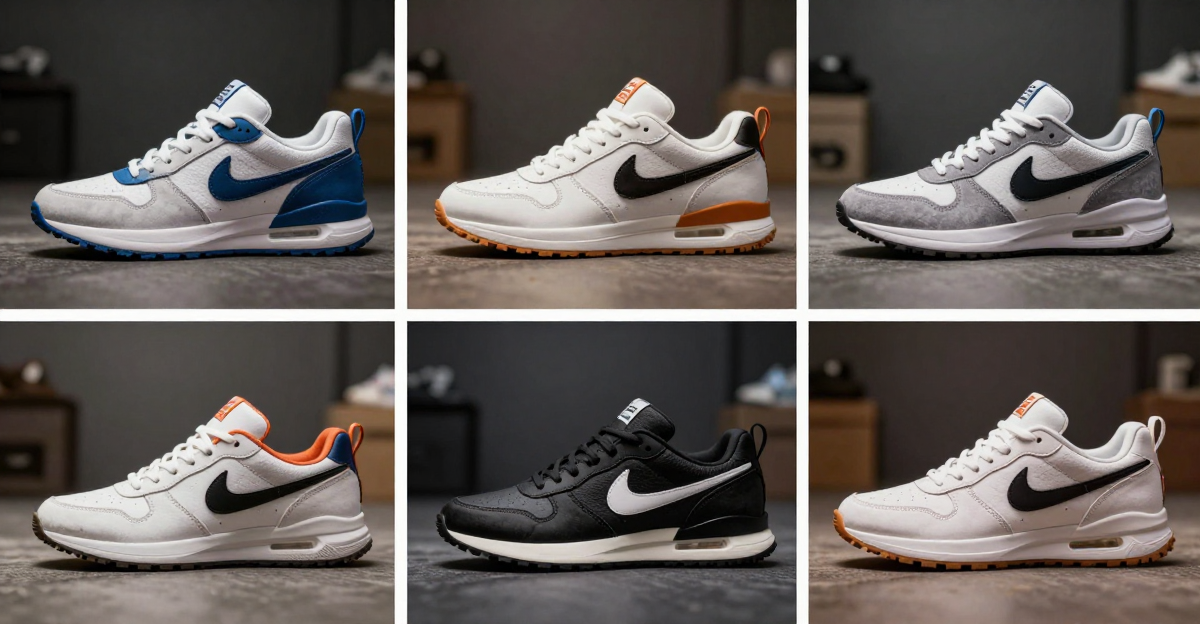
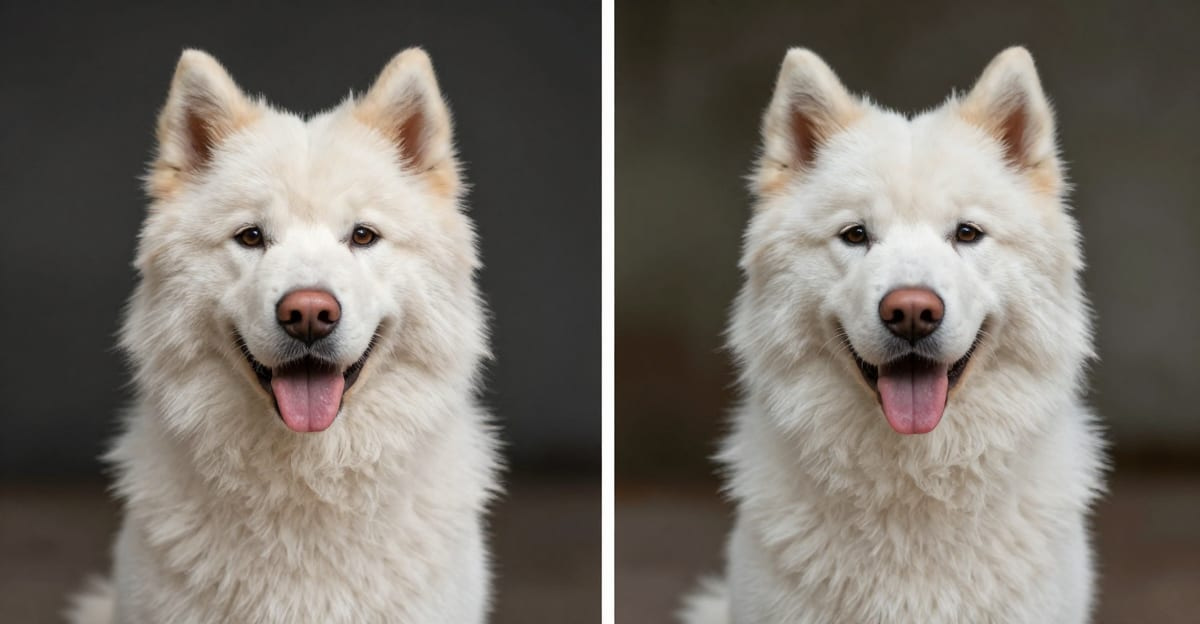
See it in action — real Imagera output
These are real, unedited results from the Imagera ai background studio — the exact tool this guide covers.


Try the AI Background Studio →
Choosing the Right Tool for Your Workflow
Remove.bg and Imagera's AI Background Studio represent two different approaches to background editing, and the right choice depends entirely on what you're trying to accomplish.
Choose Remove.bg if you need transparent PNG cutouts for use in design software, print-on-demand products, presentations, or any workflow where you'll manually control the final background. Its industry-leading edge detection, robust integration ecosystem, and focused functionality make it the appropriate tool when extraction is the end goal.
Choose AI Background Studio if you need complete, finished images with new AI-generated backgrounds for social media posts, e-commerce lifestyle photography, marketing materials, or any application where you want realistic contextual scenes without manual compositing or photoshoots. The one-step workflow from upload to finished composite streamlines production when speed and realistic results matter more than manual control.
For many users, both tools have a place in different parts of their workflow. The key is understanding which problem you're solving: Do you need to isolate a subject, or do you need to place it in a new environment? The answer determines which tool serves your needs.
Related reading:
- AI Background Remover Online — No Download Needed
- AI Background Changer for Product Photography: E-Commerce Guide
- Best LoRA Models for Realistic AI Images
Tools mentioned: