Music Generator
AudioGenerate full AI music tracks from text prompts
Full AI music studio. Generate, extend, remix, add vocals, separate stems, and more.
Imagera AI - AI content creation platform for generating images, cloning voices, and enhancing videos. Privacy Policy | Terms
Put a song or voice-over on a video, picture untouched
Choose a file to start.
Add music to video in your browser with Imagera, on a phone, tablet or computer. Creators, families and small businesses use it to add audio to video: a song, a voice-over or a sound effect you already have. Replace audio in the video, or mix the music under its own sound with a volume for each, then set a start time, looping and a fade-out. The picture is copied, not re-encoded, and both files stay on your device. 2 free downloads, 8 more after sign-in.
Published · Updated · by the Imagera teamImagera is a browser-based AI studio for images, video, music and voice, so you do not need a separate app and account for every model. Pricing is credit-based: one balance covers every tool, and each job shows its credit price or estimate before you run it.


With looping on, a 30-second song under a 2:00 video plays four times from its start. Every join gets a 10 ms ramp down and up, so the seam does not click.
Try Music FactoryThe fade-out lasts 2 seconds but never more than half of the time the music plays, so music that starts 3 seconds before the end fades over 1.5 seconds.
AAC sound is written at 192 kbps, 48 kHz stereo. At that rate one minute of sound takes about 1.44 MB, on top of the copied picture.
Two tracks at full volume added together can peak at twice full scale. The limiter lowers the mix smoothly to −0.3 dBFS at those peaks instead of clipping them.
The LAME MP3 encoder puts 1,105 samples of delay at the start of a song, 25 ms at 44.1 kHz. The tool measures that lead-in for each MP3 and, when the measurement is clear, skips it so the beat lands where you set it.
Sound offers Replace or Mix, starting at Replace. Replace drops the video’s own sound, so the music is all you hear: use it for wind noise, chatter, or a screen recording with no sound. Mix keeps the original sound and lays the music underneath, which suits a talking clip, a vlog or a product demo.
Music volume sets the song, and in Mix, Video’s own sound sets what the camera recorded; both start at 100% and can go past it to lift a quiet recording. Two loud tracks added together would clip, so a limiter turns the mix down smoothly at the peaks, linked across both channels so the stereo picture does not shift.
Type the moment into “Music starts at”: minutes and seconds such as 0:05 or 1:23.5, or plain seconds. The song begins at that point of the video and always plays from its own beginning. A start time after the video ends gets a message instead of a file.
A song longer than the video is cut where the video ends. A shorter one starts again from the top while “Loop a short song” is on; switch it off and the rest of the video plays without music. “Fade out at the end” lowers the music to silence over the last 2 seconds of where it plays, which is the video’s end or the song’s own end, and never over more than half of that stretch. With the fade off, a song that stops early still gets a 50 ms ramp, because a hard stop clicks.
The tool tells the files apart by what is inside them, not by the order you picked them. The file with a picture is the video; a file with sound and no picture is the music. Dropping the song first gives the same result as dropping the video first.
Two videos work too, for using the sound of one clip under another. The first video keeps its picture and takes the second one’s sound; when only the first has sound, that sound goes onto the silent one. Two sound files, or two silent videos, get a message asking for what is missing.
The video’s encoded frames are copied packet by packet, with their own timing, rotation flag, and title and date tags. Nothing in the picture is decoded or encoded again, so its resolution, frame rate and quality are unchanged, and no video encoder is needed. Only the new sound is encoded.
The result is exactly as long as the video. Sound encoders pad their last frame, so the final sound packet is shortened to end where the picture ends. Frames before the first key frame are dropped, because no player could show them. The download keeps the video’s name with “-with-music” added.
The new sound is AAC in an MP4 for most videos. A WebM whose picture can stay in WebM keeps that container with Opus sound, and ProRes video goes into a MOV. A browser with no AAC encoder writes Opus instead and says so under the result, because a few phone players skip Opus.
AAC encoders start with a short silent lead-in that some browsers do not mark in the file, which would make the sound play about 44 ms late. The tool measures that delay on your browser and feeds the mix that much earlier to cancel it. MP3 songs carry a lead-in of their own; it is measured for each file against the browser’s own decoding and skipped.
The video is checked against your device’s budget: up to 60 minutes and 4 GB on a computer, 15 minutes and 1 GB on a phone. The song is read a little at a time, so even a long one needs little memory; the sound file can be up to 1 GB. A looping song of up to 60 seconds is kept decoded after its first pass, about 23 MB, instead of being decoded again for every loop.
When a browser cannot decode a song piece by piece, the tool falls back to the Web Audio API, which decodes the whole file at once and so takes songs of up to 10 minutes and 300 MB. Surround sound is folded down to stereo. If a file still cannot be read, the message names it and suggests an MP3, M4A or WAV.
Putting a song on a video does not change who owns it. A commercial song you did not make can be flagged, muted or blocked when you post, depending on the platform’s rules and licenses. Music you made, licensed or recorded yourself avoids that question.
When the clip needs music of its own, the paid AI music generator composes a new track from a style you describe. For sounds timed to what happens on screen, such as footsteps or a door closing, the paid AI sound-effects tool adds them in the cloud.
Choose both files from your device, in either order. The tool works out which one is the video.
Pick Replace or Mix under Sound, then set Music volume for the song.
Type when the music starts. Leave “Loop a short song” and “Fade out at the end” on unless you want silence after the song or an abrupt ending.
Run it, watch the result with sound, and read Sound, Music and Picture under it before saving.
2 free downloads, 8 more after sign-in.
| This free tool | Paid AI tools |
|---|---|
| Adds a song or recording you already have | The AI music generator writes an original track in the style you describe |
| One sound file, placed by a start time, over the whole video | The AI sound-effects tool adds effects timed to what happens on screen |
| Copies the picture and builds the file on your device | Paid audio tools run on Imagera servers |
| 2 free downloads, 8 more after sign-in. | Paid tools use their own displayed prices and access conditions. |
Choose the video and the song, pick Replace or Mix, set Music volume and the start time, then run it. Play the result with sound before you save it.
Yes. Choose Mix: the video’s own sound stays, and the music plays under it. Lower Music volume until the voice is easy to follow, and raise Video’s own sound if the speaker is quiet.
Choose Replace. The video’s own sound is dropped and the new file is the only sound; the Sound line under the result reads Replaced.
Pick the MP4 and the MP3 together, in either order, and run it. MP4 (H.264) is the safest video and MP3, M4A or WAV the safest sound files; these are the formats the error messages suggest when a file cannot be read.
A longer song is cut where the video ends. A shorter one loops from its beginning while “Loop a short song” is on; with it off, the music stops and the rest of the video is silent, or keeps its own sound in Mix.
Leave “Fade out at the end” on. The music fades to silence over the last 2 seconds before it stops, or over half the time it plays when that is shorter.
Yes. Enter it in “Music starts at”, for example 0:05 or 1:23.5. The music stays silent until then, and the video plays its own sound in Mix.
Not here: the song always plays from its own beginning. Cut it to start at the chorus with the free Audio Trimmer first, then add the trimmed file.
Pick both videos. The first one keeps its picture and gets the second one’s sound; if only the first has sound, it goes onto the silent clip instead.
No. The picture is copied packet by packet and never encoded again, so it is identical to the original. The Picture line under the result reads Copied, not re-encoded.
It should not be. The encoder’s start-up delay is measured on your browser and cancelled, the original sound in Mix stays on its own timeline, and the sound is cut to end exactly with the picture.
Yes. A video without any sound track works the same way, and the result says the sound was added. Record the voice-over as an MP3, M4A or WAV first.
No, there is no automatic ducking. Each sound has one volume for the whole video; the limiter only catches the loudest peaks. Set the music low enough to sit under the voice throughout.
One sound per run. To layer a second one, run the finished video again with Mix, so the first song becomes the video’s own sound, and set the second song’s start time.
Usually an MP4 with AAC sound. A WebM can stay a WebM with Opus sound, ProRes footage is saved as a MOV, and a browser without an AAC encoder writes Opus and notes it under the result.
Yes, in Safari, Chrome or another current phone browser, with nothing to install. Where Safari cannot stream a song’s format, the tool decodes the whole song at once instead, up to 10 minutes and 300 MB.
No. Both files are read by your browser and the new video is built in its memory. The page loads its own code over the network, but the files themselves are not sent anywhere.
They might. The platform checks the posted video, not this tool, and a song you did not make can be flagged or muted under its rules. Music you made or have a license for avoids that.
Your first 2 downloads are free with no account. Sign in free for 8 more. Any paid Imagera plan makes downloads unlimited, and adds AI credits for the paid tools. Processing and the preview are always free.
Your first 2 downloads and every download on a paid plan have none. Free downloads 3 to 10, after sign-in, carry a small “Made with imagera.ai” badge in the corner. The result on screen is always clean.
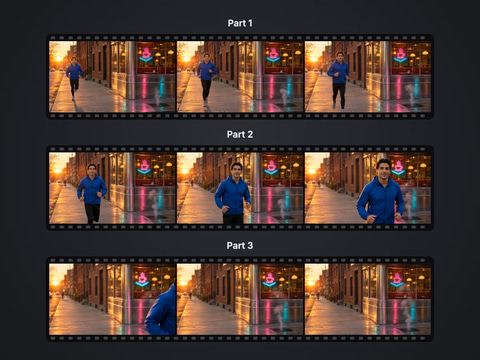
Cut a big video into evenly sized parts
Open tool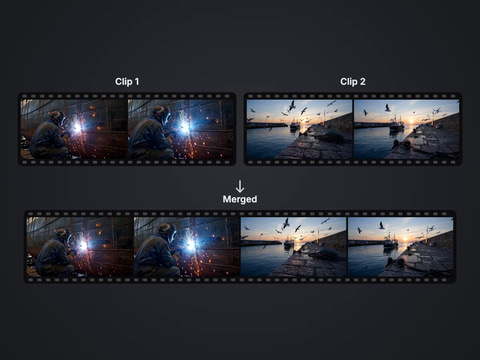
Rejoin split parts back into one file
Open tool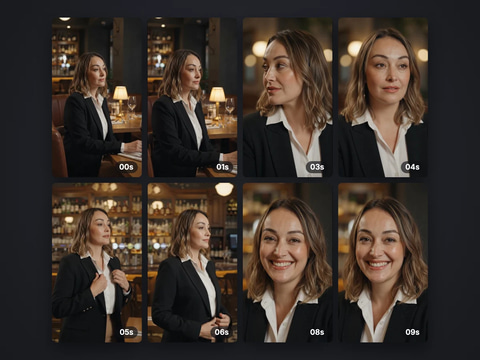
Save stills from a video as JPG or PNG
Open tool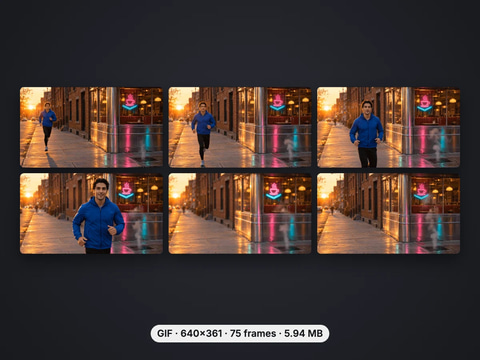
Turn a video clip into an animated GIF
Open tool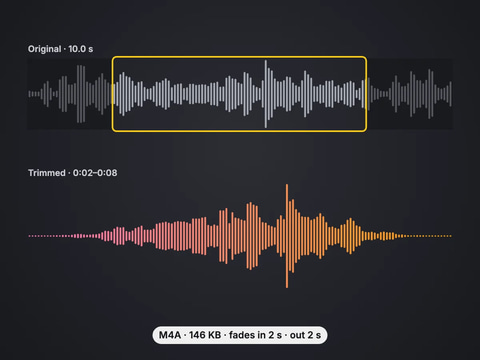
Cut an audio file to the part you want, with fades
Open tool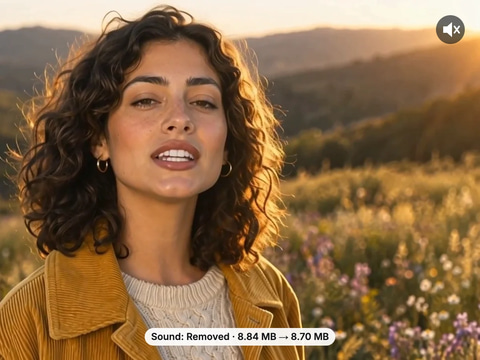
Remove the sound from a video, picture untouched
Open toolComplete your workflow
These pair with Music Factory. Every tile says what the tool actually does — without leaving this page.
Generate full AI music tracks from text prompts
Create AI vocals and narration for your tracks
Create music videos for your AI compositions
Describe a song or sing it in your own voice, then make it a playlist or a music video.
Five Imagera voice engines in one studio for natural narration, character voices and multilingual speech.
Five Imagera music engines in one studio for full songs, vocals, instrumentals and soundtrack creation.
Script to full episode. Multiple AI hosts that sound completely human.
Imagera AI Team
Unified AI creation platform
Ready to try your own file?
Back to add music to video