Image Upscaler
ImageUpscale images to 16K with the same AI enhancement technology
Too small to print? Enlarge a photo to 4K, 8K or 16K (15,360 px on the long edge).
Imagera AI - AI content creation platform for generating images, cloning voices, and enhancing videos. Privacy Policy | Terms
Blur every face in a video automatically
Choose a file to start.
Imagera's Video Face Blur lets you blur faces in video inside your browser on a phone, tablet or computer. It finds the faces, keeps looking for each one as the clip plays and covers it with a blur, a pixel mosaic or a black oval, so you can blur moving faces and anonymize faces of bystanders, children or witnesses before a clip is posted. Add your MP4, MOV, WebM or MKV file; the footage stays on your device. 2 free downloads, 8 more after sign-in.
Published · Updated · by the Imagera teamImagera is a browser-based AI studio for images, video, music and voice, so you do not need a separate app and account for every model. Pricing is credit-based: one balance covers every tool, and each job shows its credit price or estimate before you run it.






Footage at 24 or 30 frames per second is searched for faces on every second frame, and 60 fps footage on every fourth, about 15 searches per second of video.
One sweep for new faces looks at 14 overlapping views of the frame: the whole picture, a 2 × 2 grid and a 3 × 3 grid. After the first frame of a shot it checks one view per search, so a sweep spans just under a second of video.
When the detector loses a face, its cover stays for 1 second and keeps growing: half a second later it is 1.5 times as wide and tall, and at the end of the second twice the size.
A 3840 × 2160 (4K) clip comes back at 1920 × 1080 on a computer and 1280 × 720 on a phone: the long side is capped at 1920 and 1280 pixels.
Try 4K Video EnhancerThe tool reads your clip twice. The first pass decodes a copy no wider than 1280 pixels on its long side and searches it about 15 times per second of video. Each face it already knows is looked for again in a close crop around its last position, where even a modest face fills much of the picture. New faces are looked for one tile at a time, across the whole frame, a 2 × 2 grid and a 3 × 3 grid. The first frame, and the first frame after a cut, get every tile at once.
The second pass draws each frame at the output size and covers every face listed for that moment. A frame that falls between two searches gets the covers of both, which spans the path the face took. If the first pass finds no face at all, the run stops there with a message instead of encoding a clip that would look finished.
A face detector misses faces for a moment when a head turns, a hand passes in front or motion smears the picture. Here a missed face keeps its cover for 1 second, and the cover grows while it waits, in case the face kept moving. When the face is found again inside that second, the cover simply carries on.
The other direction matters too. A face that walks in from the edge is often found a little after it appears. So a newly found face is followed backwards through the last second of searched frames, and its cover starts up to 1 second before the moment it was found. The price of both rules is cosmetic: an oval can stay on screen for about a second after someone has left, or appear a moment before they arrive.
Every searched frame is shrunk to a tiny grey thumbnail and compared with the one before it. A sudden jump in difference counts as a cut: the new shot gets a full search straight away, and no cover is held over or started early across that point. A steady fast pan changes the picture just as much from step to step, so it is not mistaken for a string of cuts.
A face must be found in at least 3 searches, about a fifth of a second of video, and in at least half of the searches across its run before it gets a cover. A pattern that only looks like a face now and then is dropped this way; in testing, a cat on an armchair was. A photo of a person on a wall, a poster or a screen is a real face to the detector, though, and can be covered for a while too.
Faces narrower than about 6–7% of the frame width are not found. On a wide shot that means people at the back of a hall, a stand or a street can stay visible, so the cover only protects faces the camera sees reasonably close. A face seen fully from the side, looking down, or half hidden by a hat or a mask is found less often, and leans on the one-second hold.
The covers are upright ovals that reach from the hairline to just under the chin. A head tilted to one side is not followed by the oval’s angle, so its chin or crown can reach past the edge. Cover beyond the face adds room around every face, starting at 25%; raise it for tilted heads, hair and ears. There is no brush or box here to add a face the tool missed.
The Effect choices are Blur, Pixelate or Black oval, starting on Blur. Strength scales with each face, so a face far away and a face close to the lens are hidden to the same degree: at the starting value of 60, the blur reaches about a tenth of the face’s width and the mosaic is about seven blocks across. The black oval ignores strength and replaces everything inside it.
Every effect is fully opaque out to the edge of the oval, and only a thin band outside it fades back into the picture. A blur or mosaic still keeps rough colors and shapes inside the oval. When the person in the clip could be at risk, choose the black oval.
One run takes up to 3 minutes of video on a computer and up to 1 minute on a phone or tablet, because every frame is decoded twice, searched and encoded again in the tab. Files are also checked against a size budget of 4 GB on a computer and 1 GB on a phone. For a longer recording, cut the part you need with the free Video Trimmer, which does not re-encode, then blur that.
The saved video is at most 1920 pixels on its long side on a computer and 1280 on a phone, never larger than the source. It is H.264 in an MP4 where the browser has that encoder, otherwise VP9 or VP8 in a WebM, and a phone clip stored sideways is drawn upright first so every cover lands on the face the player shows. The sound is copied, or converted to AAC for the MP4 when it is in another format. Under the result, Faces covered, Frames processed, Frame and Sound show what the run did.
This tool keeps people in the shot and hides their faces. If you would rather show someone else in their place, the paid Viral Character Swapper puts a character from your image into the video and keeps the original motion, and Imagera Recast replaces the people in a short clip with your photos.
Blurring does not improve the picture, and the output stops at 1920 pixels. If the finished clip looks soft, the paid 4K Video Enhancer sharpens and upscales it in the cloud. Blur here first, then enhance the blurred file and check the faces again before posting.
Choose a MP4, MOV, WebM or MKV video of up to 3 minutes, or up to 1 minute on a phone.
Pick Blur, Pixelate or Black oval, set Strength, and raise Cover beyond the face to hide hair and ears too.
Start it and wait while faces are searched first, then every frame is redrawn and encoded.
Play the whole result, pausing where people turn, enter or stand far back, and read Faces covered and Sound.
2 free downloads, 8 more after sign-in.
| This free tool | Paid AI tools |
|---|---|
| Covers every face it finds with one effect for the whole clip | The Viral Character Swapper replaces a person with a character you supply and keeps their motion |
| Saves at most 1920 px on the long side, never above the source | The 4K Video Enhancer sharpens and upscales footage in the cloud |
| Searches and redraws the clip on your device | Paid tools run on Imagera servers |
| 2 free downloads, 8 more after sign-in. | Paid tools use their own displayed prices and access conditions. |
Add the clip, pick Blur, Pixelate or Black oval and start. You do not draw boxes or set keyframes: the tool finds the faces, works out where each one is at every moment and covers it in every frame. Then play the result to check it.
Each face is searched for again about 15 times a second, in a close crop around where it was. Frames between two searches get both covers, and a sudden big move is taken as it is rather than smoothed, so the oval does not trail behind.
Its cover stays for 1 second, growing a little, in case the face is only briefly hidden. If it comes back in that time the cover carries on; if not, the cover ends, and the face is covered again from up to a second before it is next found.
No. The clip is read, searched and redrawn inside your browser tab. The page downloads its own code and the face model, which the browser keeps after the first run, but no part of your video is sent.
Yes. Every face found gets its own cover, and the result shows the most it covered at one moment, such as Up to 6 at once. Compare that with the people you can see; small faces at the back are the ones most likely to be missed.
Yes, in an up-to-date Safari, Chrome or Edge, with no app to install. Phones and tablets take up to 1 minute of video per run and save it at up to 1280 pixels on the long side.
YouTube Studio blurs faces in a video you have already uploaded to YouTube, on a computer, and lets you pick which faces to blur. This tool works on the file before it goes anywhere, on any device, and covers every face it finds, so the clip is ready for any platform.
No. Every face found is covered with the same effect, and there is no switch for one person. YouTube Studio’s face blur lets you choose faces after upload, and redaction editors can un-blur one person.
The black oval, because it replaces every pixel inside it. Pixelate turns the face into large blocks and blur softens it; both look gentler on screen but keep some color and shape, so raise Strength if you use them.
The detector does not find faces under about 6–7% of the frame’s width, even with the tiled search. A closer shot of that part of the scene, or a manual mask in a video editor, is the way to cover it.
Run the clip, then watch it through for children at the back, those who turn away and anyone who walks in late. Names on shirts, badges, team numbers and school signs are not covered, so cut or crop those parts out before sharing.
Run your vlog clip here; passers-by are covered along with you, since every face found is hidden. Whether you must blur strangers depends on where you film and post, which this tool cannot decide, so check your platform’s rules.
The covers are drawn into the frames, with no layer to switch off. Even so, a blur or mosaic keeps rough colors and shapes, and a clip shows the same face in many frames. A black oval leaves nothing of the face in any of them.
Up to 3 minutes per run on a computer and 1 minute on a phone or tablet. A longer clip gets a message naming the limit; cut it into parts with the free Video Trimmer and blur each one.
After. This tool’s output stops at 1920 pixels on the long side, so a 4K upscale made first would come back at 1080p. Blur here, send the blurred file to the paid enhancer, then check the faces again.
Yes, in most browsers. AAC and MP3 sound is copied as it is; other sound becomes AAC for the MP4 where the browser can encode it, and surround that has to be converted becomes stereo. The Sound line under the result says Kept, None or that it could not be kept.
You can open MP4, MOV, WebM or MKV files. The result is an MP4 with H.264 video wherever the browser can encode that, otherwise a WebM, upright even if the source was a sideways phone clip.
Your first 2 downloads are free with no account. Sign in free for 8 more. Any paid Imagera plan makes downloads unlimited, and adds AI credits for the paid tools. Processing and the preview are always free.
Your first 2 downloads and every download on a paid plan have none. Free downloads 3 to 10, after sign-in, carry a small “Made with imagera.ai” badge in the corner. The result on screen is always clean.

Strip GPS & camera data from photos
Open tool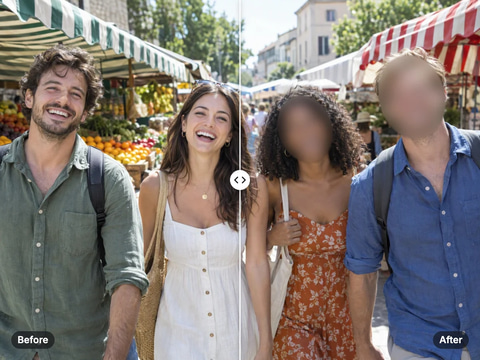
Hide every face in a photo automatically
Open tool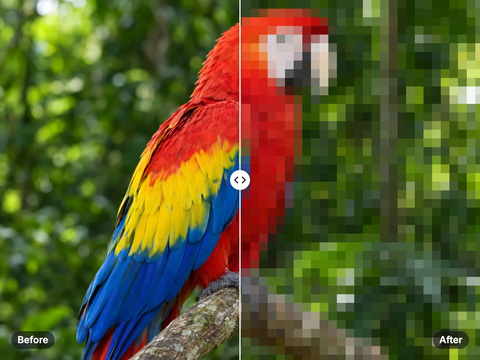
Turn a whole image into a pixel mosaic
Open tool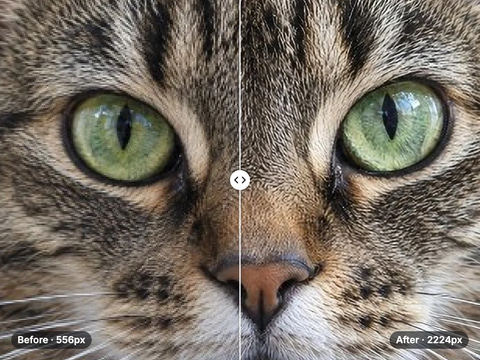
Enlarge & sharpen photos up to 4×
Open tool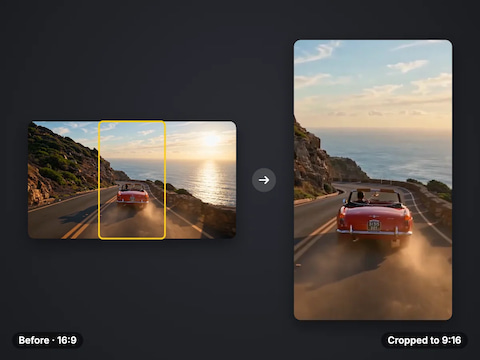
Crop or fit a video to 9:16, 1:1, 4:5 or 16:9
Open toolComplete your workflow
These pair with 4K Video Enhancer. Every tile says what the tool actually does — without leaving this page.
Upscale images to 16K with the same AI enhancement technology
Create AI talking videos then enhance to 4K
Generate AI podcasts and pair with enhanced video content
Translate a clip into another language. Same faces, same footage, new voice — billed per minute.
Choppy AI video to butter-smooth 60fps. The secret pros use.
One photo = Hollywood drone shot. Zero equipment. Pure magic.
Steal any dance. Apply to any character. Viral content factory.
Imagera AI Team
Unified AI creation platform
Ready to try your own file?
Back to video face blur