Finds the hair for you
No brushing or masking. The tool finds each person’s hair automatically, for up to six people in one photo.
Imagera AI - AI content creation platform for generating images, cloning voices, creating avatars, and enhancing videos. Privacy Policy | Terms
Faces · free · private
See yourself with black, blonde, copper, pink or any color before you book the salon. The hair is found automatically and recolored with its own texture and highlights, right in your browser.
Faces and hair are found by models that run in your browser. Your photo is never uploaded or saved on our servers.
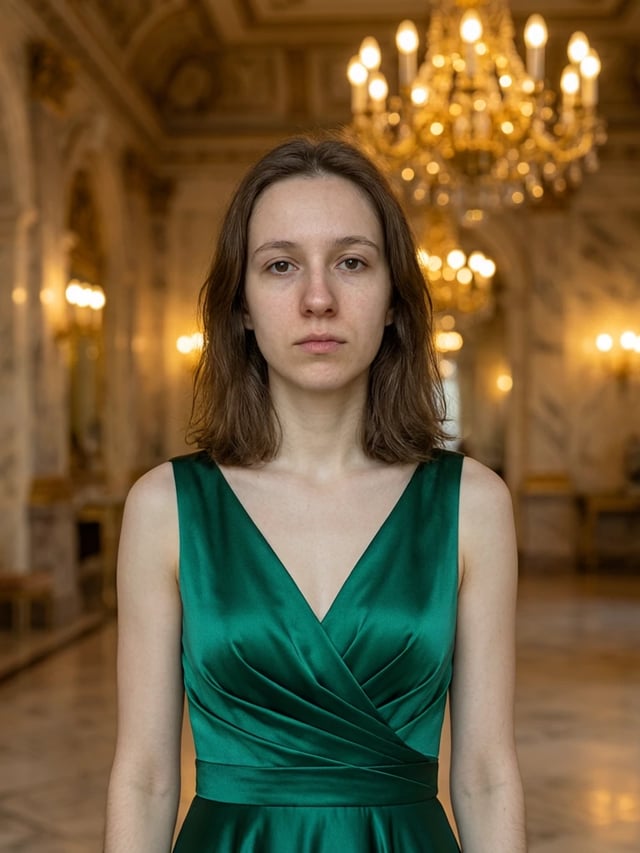
 Real result
Quick answer
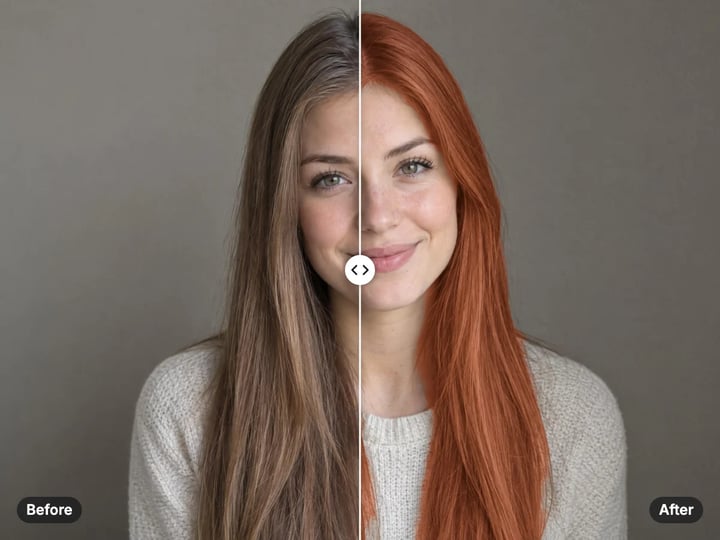
To change your hair color in a photo for free, open Imagera’s Hair Color Changer, add a photo where the hair is visible and pick a shade: natural black, browns, copper, blondes, grey or bold colors like pink and teal. Press Change hair color. The hair is found automatically and recolored with its own strands and highlights kept, and the face is left untouched. It all runs in your browser, so the photo is never uploaded.
Your photo never leaves your device — nothing is uploaded or saved on our servers.
How it works
Choose a clear photo where the hair is visible. JPG, PNG, WebP and HEIC work.
Tap a shade or open the picker for any color, and set the intensity.
Press Change hair color, then drag the slider to compare before and after.
Save the result, or try another shade on the same photo.
Why this one
No brushing or masking. The tool finds each person’s hair automatically, for up to six people in one photo.
Strands, shadows and highlights are carried over to the new shade, so the result reads as hair, not as paint laid on top.
Eleven ready shades from natural black to teal, plus a picker for any color. Lower the intensity for a subtle tint.
The face below the hairline is protected, so skin, eyes and lips keep their real color.
Continue in Imagera
Hair Color Changer edits the pixels you have. These studios use AI to create what is not in the picture yet — they run on credits.
 Next step
Edit images with Imagera Edit. Inpaint, modify, and transform any part of your image.
Open studio Imagera
Too small to print? Enlarge a photo to 4K, 8K or 16K (15,360 px on the long edge).
Open studio Imagera
Replace any photo background with AI-generated luxury scenes.
Open studioWho it is for
See copper, platinum or a darker brown on your own face before you commit to the dye.
Try pink, lavender or teal risk-free, and show friends the options side by side.
Show a client a quick preview of a shade on their own photo during a consultation.
Guide
The tool finds the hair in your photo and gives it a new color, keeping everything else as it was.
It finds each head. An on-device face model locates the people in the photo, up to six, and a hair model then outlines the hair around each face. Working head by head matters: the hair model sees each head up close, so long hair and curls are traced much more closely than in one pass over the whole photo.
It cleans the outline. Near the edge of the hair, each pixel is compared with the hair color on one side and the background or forehead on the other, so the new color stops where the hair stops instead of glowing into the sky.
It recolors, keeping texture. The new shade takes over the hair’s mid-tones while every strand, shadow and highlight is carried across. That is the difference between a hair color and a colored overlay.
1. Choose a clear photo. A front-facing portrait in soft daylight gives the most natural result. Hair against a plain background is traced most accurately. 2. Pick a shade. Tap one of the eleven swatches or open the color picker for any shade. 3. Set the intensity. 85% is a full color change. For a subtle tint or a glaze over your natural color, try 40–60%. 4. Turn on Shine if you want a glossy, salon-finished look. It lifts the highlights along the strands. 5. Press Change hair color and drag the slider to compare. 6. Try more shades. Each run takes a few seconds, and your photo stays on your device the whole time.
To compare shades, download a few results and view them side by side before your appointment.
Match your undertone. Warm skin with golden or olive tones usually suits copper, chestnut and strawberry blonde. Cool skin with pink or blue undertones often suits ash grey, platinum and natural black. The quickest test is to try one warm and one cool shade on the same photo and see which makes your skin look clearer.
Go one or two steps at first. Shades close to your natural color look the most believable, both in the photo and in real life.
Use bold colors on purpose. Pink, lavender, teal and fire red are fashion colors. They look best with confident styling and are worth previewing before you bleach.
Mind the light. A photo taken in warm indoor light shifts every shade warmer. For an honest preview, use a daylight photo.
Use the largest photo you have. More pixels on the hair means a cleaner outline and finer strand texture.
Skip the hat. A knit cap or hood sitting on the hair can be mistaken for hair and tinted too, and hands covering the hair leave less to recolor. Hair pulled tightly back may be found only partly.
Very dark to very light is the hardest jump. Going from black hair to platinum stretches the little light information black hair holds, so the result can look flatter than real bleached hair. Lower the intensity a little, or turn on Shine to bring back highlights.
Check the edges. Drag the slider across the hairline and the ends. Loose single strands against a bright sky may keep their old color; the main shape of the hair changes.
Beards and eyebrows stay as they are. The tool protects the face, so only the hair on the head changes.
A hair color preview is a photo of your face, and many try-on apps upload that photo to a server to process it. This one does not.
Both models, the one that finds faces and the one that outlines hair, are downloaded to your browser once and run on your own phone or computer. Your photo is read from your device, recolored in memory and handed back as a download. Nothing is uploaded or saved on our servers.
The models are cached after the first run, so later photos start faster. iPhone HEIC photos are read on your device too, with no conversion step.
Trying colors is unlimited. Your first few downloads need no account; after that, a free sign-in keeps them going. Signing in never sends your photo anywhere, and there is no watermark on the result.
The free Hair Color Changer answers one question: what would my hair look like in another color? It keeps your exact haircut, length and parting and changes only the color, on your device, in seconds.
Imagera’s paid AI Edit Image studio answers the bigger question: what would a different hairstyle look like? You describe the change in words, such as a short bob, curtain bangs, loose curls or longer hair, and the AI redraws the hair itself, in any color. It runs in the cloud, keeps your history and is paid with credits.
A good way to use them together: find your color here for free, then try that color with a new cut in the studio. For a full new look, including hair, outfit and lighting, the Studio Headshot Maker creates professional portraits from a selfie.
Free vs studio
Questions people ask
Add a clear, front-facing photo, pick a shade and press Change hair color. The hair is found automatically and recolored, and you can drag the slider to compare with your real color.
Yes. Pick strawberry or platinum blonde. Going from very dark to very light is the hardest change, so the result can look a little flatter than real bleached hair; turning on Shine helps.
Yes. Curls and coils are traced head by head, so their shape is kept. The outline follows the curls closely, though very loose single strands at the edge may keep their old color.
Yes. The tool finds up to six people and recolors everyone’s hair with the same shade. To give each person a different color, run it once per shade and combine the results.
No. The face below the hairline is protected, so eyebrows, beards, skin, eyes and lips keep their real color. Only the hair on the head changes.
Yes. Open the color picker and choose any shade, for example one copied from a dye brand’s swatch. The tool uses it as the mid-tone of the hair and keeps the light and shadow around it.
No. This free tool changes color only. Imagera’s paid AI Edit Image studio can redraw the hairstyle itself, such as bangs, a bob, curls or longer hair, from a short description.
The tool first finds a face, then the hair around it, so it needs a clearly visible face. The back of a head, a very small face in a wide shot or a strong silhouette will not work. Try a closer, brighter photo.
Yes. Open the page in your phone’s browser and choose a photo. HEIC photos from an iPhone work directly, and the photo never leaves your phone.
More free tools
Complete your workflow
These pair with Edit Image. Every tile says what the tool actually does — without leaving this page.
Replace or restyle outfits in a photo without a reshoot
Replace words and fix typos while AI matches the original font
Replace any photo background with AI-generated scenes
Transform photos into Ghibli, oil paintings, watercolor art
Create professional product photography from a single image
Ask 10 AIs the same question. Steal the best answer.
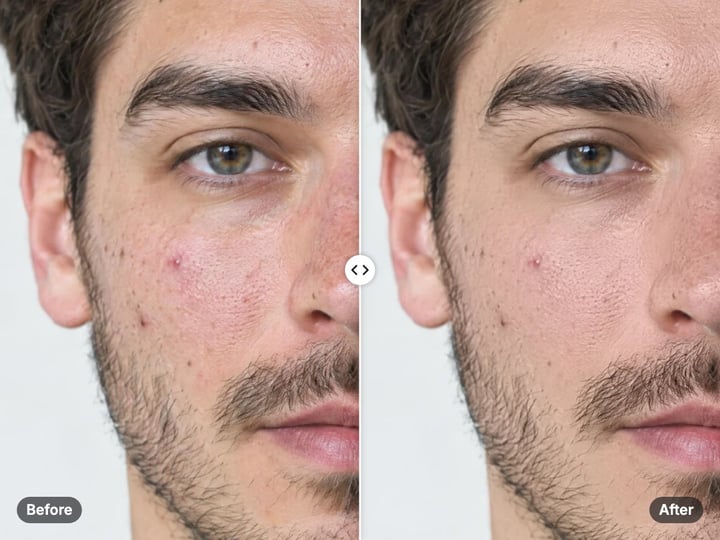
Add freckles, pores, scars, tattoos. Remove blemishes. Fix plastic AI skin instantly.
Remove flyaway hair and fix fine imperfections with surgical AI precision.
Change the words, color or font of text baked into a photo, poster or screenshot.
Free passport, visa & ID photos — auto-cropped to any country's exact size, background and file size, right on your device.
Imagera AI Team
Unified AI creation platform